Trail Color + scopes
Color correction with waveform, parade, vectorscope, and histogram.
Import camera footage and the ride recorded by Action Studio Pro—or a FIT file straight off your Garmin. Synchronize them, drag live telemetry onto the picture, and export a finished film or a vertical reel with the original camera audio preserved. Shot on a 360° camera? Point the view after the ride.
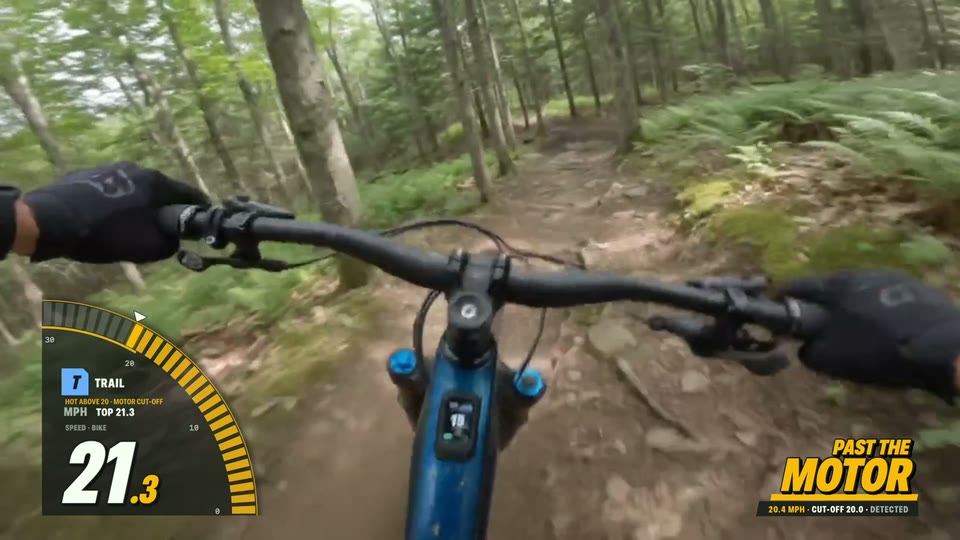
Five trail clips, each exported by Action Studio Pro in a different look: FLOW heating past the motor's cut-off, a CHRONO chronograph, rider against motor in DUET, split-flap FLAP, and the Network bug on a Garmin Edge ride. Sample ride data, labeled at every element.
Real footage, sample data: first-person footage overlaid and exported by Action Studio Pro. Telemetry is sample ride data created for this edit (the Garmin clip imports a sample FIT file), not measurements recovered from the footage.
Real footage, sample telemetry: the jump events and ride values were created and aligned for this Studio demonstration, not measured from this footage.
The SEND look turns every detected jump into a story, not a pile of gauges. The Send It card rises at takeoff: airtime and estimated distance count through flight, takeoff speed heats above the Hot above you set, and the retained phone or wrist peak G snaps into view at touchdown. The tally keeps jumps, best air and total air.
Measured stays measured. Estimated stays estimated. Fresh speed, power, assist, and battery can add bike context when available, but Action Studio Pro never presents the motor as the inertial source. The retained impact value is a landing peak—not an invented continuous G-force trace. Missing channels simply disappear.
Every number on the picture is a measured channel from the ride journal, placed by you, dressed by a template, and captioned with where it came from.
Action Studio Pro reads the FIT file a Garmin writes, so the sensors you already ride with come along. Heart rate from a CIRQA band or a Garmin watch, broadcast to an Edge, lands in the same file as speed, GPS, and elevation—and on the same timeline as your footage.
Ride with only the Watch. It records speed, GPS, heart rate, and jumps, and syncs to your iPhone on its own.
SPEED · GPS · HEART · JUMPSPair a Turbo Levo and the film gains the motor's side of the story.
+ ASSIST · MOTOR & RIDER W · BATTERYThe band broadcasts heart rate to the Edge, which writes it into the ride's FIT file.
SPEED · GPS · ELEVATION · HEARTTurn on heart-rate broadcast on the watch; the Edge records it with everything else in one FIT file.
SPEED · GPS · ELEVATION · HEARTA chest strap, power meter, or cadence sensor paired to the Edge. Power-meter watts arrive as rider power.
+ CADENCE · RIDER WA Garmin watch on its own, or another head unit that writes FIT—from a ride, or a run, hike, or ski day. Anything else can export GPX.
FIT · GPX · ANY SPORT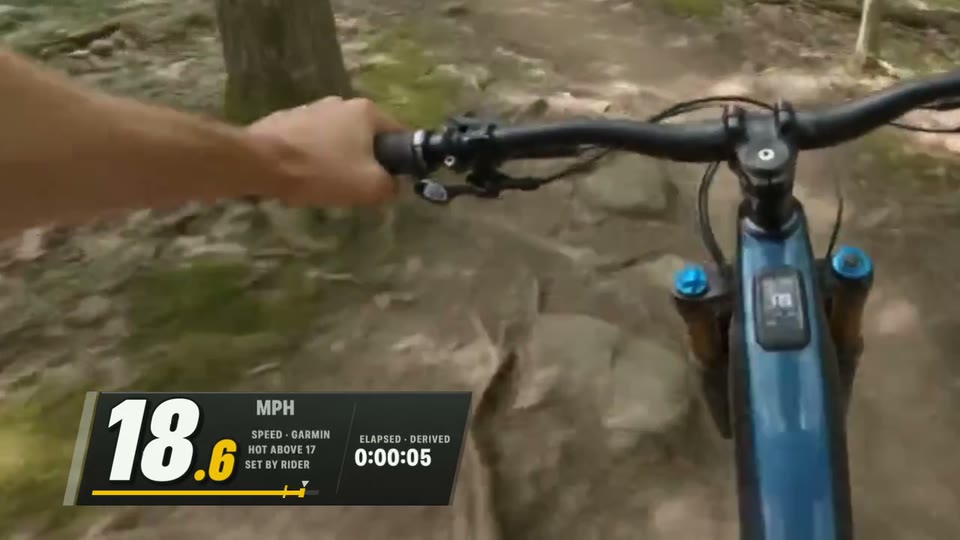
One import, then it's just a ride. Export the FIT file from Garmin Connect or copy it off the Edge, then import it in Action Studio Pro on iPhone. It matches your clips by time and drives every look; whatever the recorder didn't measure is left out, never invented.
Finish mixed GoPro, DJI, Insta360, and iPhone clips with local color tools, then let fresh bike and rider evidence drive effects that a generic editor cannot understand.
Color correction with waveform, parade, vectorscope, and histogram.
Match one camera to another; nothing changes until you apply it.
Effects follow speed, effort, and landings. No source means the effect turns off.
Tracked privacy and focus regions—not fake pixel-perfect segmentation.
Denoise, stabilization, and wind repair for trail footage.
A first cut of the ride's best moments in 16:9, vertical, or square, for you to approve.
Local by design. Source video is never changed, and nothing is uploaded or published automatically.
Ride with only the Watch. The ride syncs to your iPhone on its own—cut the film there, or move the project to iPad with the edit intact.
Illustrated pipeline: sample values. Every step is in the current test builds.
No supported motor system is required to make films. Any camera above plus any ride source cuts, syncs, and exports the same way. 360° cameras: Osmo 360 originals import directly; others via their 360 export. Pair a Turbo Levo and the overlays gain the motor's side of the story: deeper bike data where the bike provides it.
The Video tab on iPhone and iPad is a ride-film editor in the shape you already know from camera apps: the video up top with overlays you drag into place, a filmstrip with trim handles beneath it, and tools along the bottom. Plug in a GoPro HERO or DJI Osmo Action, pick from Photos, or import any standard MP4 or MOV. Osmo 360 originals import directly; other 360° cameras via their 360 export. Each clip matches the ride recorded while it was filmed, and iPad opens the same project into ordered tracks.